 Guardpup
 Docs
Guardpup catches the keys, passwords, card numbers and personal details you send to AI, and swaps them for realistic stand-ins first. Everything is checked on your computer.
Which App Is For What
Browser Extension
AI chats in the browser: ChatGPT, Claude and Gemini (Copilot, Perplexity, Grok and DeepSeek: being tested). Tested in Chrome.
Mac App
The ChatGPT, Claude and Gemini desktop apps (Perplexity, Cursor, VS Code and Devin: being tested), on a Mac. It checks what you paste into them.
Windows App Being tested
The ChatGPT and Claude desktop apps (Perplexity: being tested), on Windows. It checks what you paste into them.
Developer Tool
Coding agents: Claude Code, Cursor and VS Code's Copilot agent (Devin and Gemini CLI: being tested). It
keeps them away from your .env files and keys.
Use the ones that match where you use AI. They work on their own and don't need each other. Get Guardpup.
How It Works
- You paste or send something. Guardpup checks it on your computer before the AI gets it.
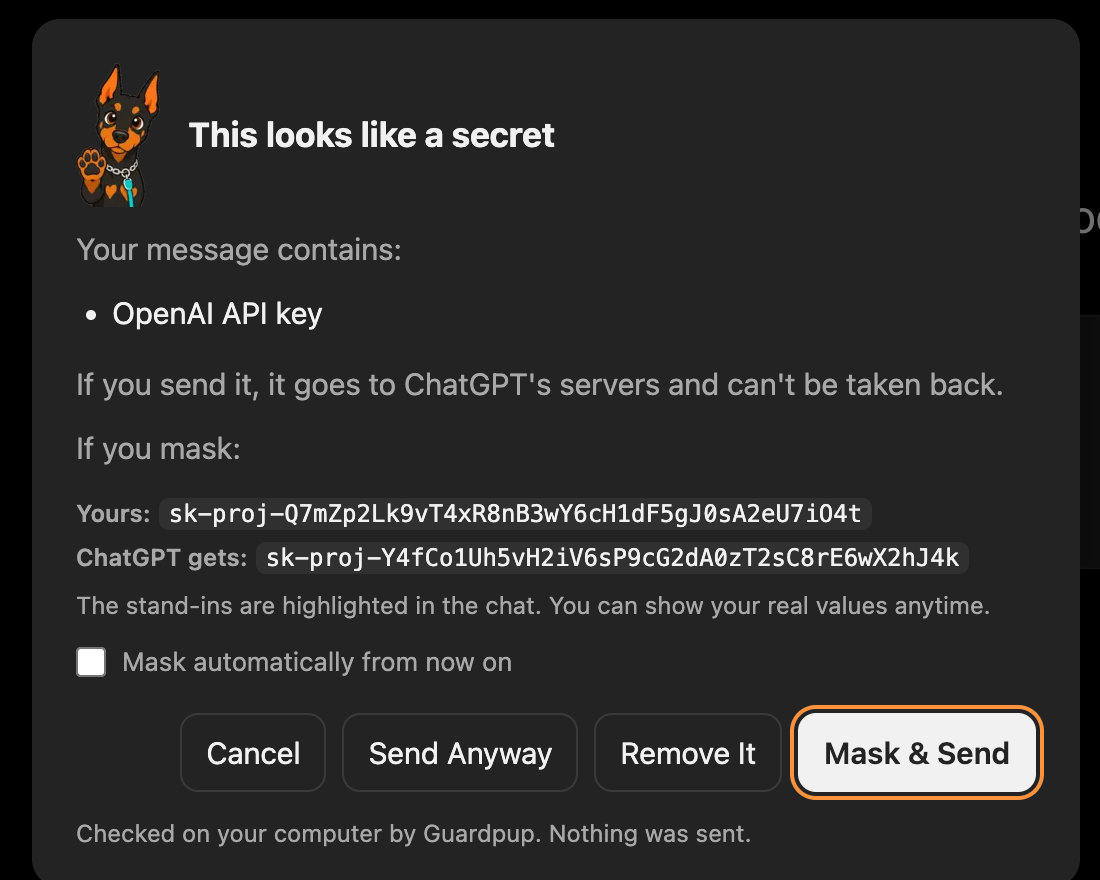
- If there's a secret in it, Guardpup asks. You see what it found, your value next to the stand-in the AI would get, and choose.
- The AI gets stand-ins. A key-shaped key, an email-shaped email: the AI can still help, but never sees the real value. When you copy its answer back, your real values come back with it.
Free and Pro
| Free | Pro | |
|---|---|---|
| Keys, passwords, card and ID numbers | ✓ | ✓ |
| Emails, phone numbers, names, addresses | ✓ | ✓ |
| Your coding agent (developer tool) | ✓ | ✓ |
| Screenshots and files you attach | ✓ | |
| Things you add yourself (a passport number, a client's name) | ✓ | |
| Mask automatically, without asking | ✓ | |
| Weekly report | ✓ |
The extension and the Mac app start with a week of Pro, no account: see Account and Plans.
What Leaves Your Computer
What you type, paste or attach never leaves your computer. Guardpup itself connects only to guardpup.io: with Pro, to check your subscription, and once a week if you choose to share anonymous usage counts. With Team, your company can also turn on a weekly team report: totals with no names and no content. Otherwise it never connects at all. (The Mac and Windows apps and the developer tool also ask once a day for the newest version number, and send nothing with it.) Privacy has the details.
Something missing here? Help answers common questions, or ask us.