 Guardpup
Mac App
For the ChatGPT, Claude and Gemini desktop apps (Perplexity, Cursor, VS Code and Devin: being tested). It checks what you paste into them, right on your Mac. macOS 14 or later.
Install It
- Download it from the download page and open the file.
- Drag Guardpup onto Applications, then open it from your Applications folder.
- When it asks, allow Guardpup in System Settings → Privacy & Security → Accessibility. That lets it ask "masked or the original?" right when you paste.
Guardpup lives in your menu bar as a dog's head, at the top right of the screen.
When You Paste a Secret
Paste into one of those apps, and if there's a secret in it, Guardpup asks before anything goes in:
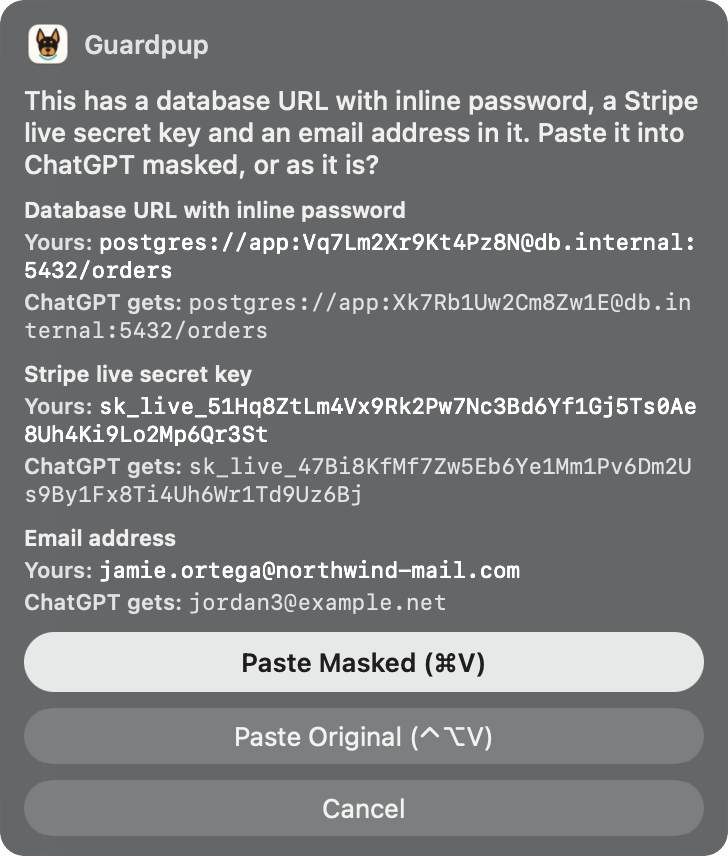
.env pasted into the ChatGPT app.| Button | What it does |
|---|---|
| Paste Masked (⌘V) | Pastes with stand-ins in place of each secret. |
| Paste Original (⌃⌥V) | Pastes what you copied, as it is. |
| Cancel | Pastes nothing. |
Nothing is sent until you send it yourself. The message box then holds the stand-ins:
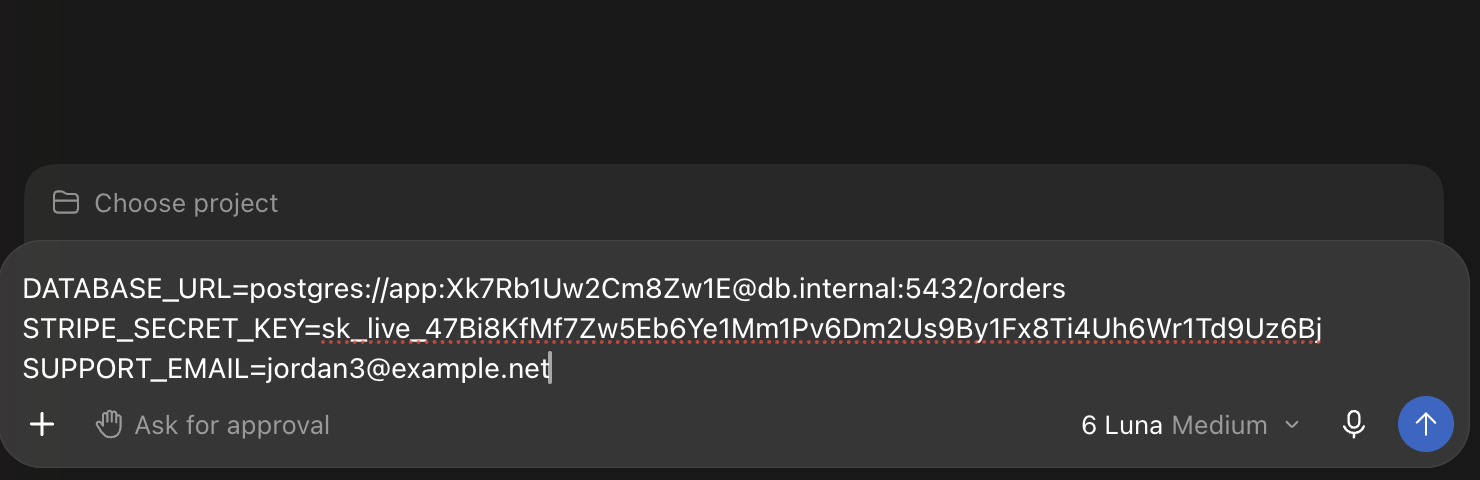
Only the AI app gets the stand-ins: paste anywhere else and you get what you copied, and leaving the AI app puts it back on the clipboard as it was. Need your real value in the AI app after all? Choose Put My Real Value Back on the Clipboard in Guardpup's menu (⌃⌥V). When you copy an AI's answer, your real keys and passwords come back in place of the stand-ins, so code it wrote works.
The Menu
Click the dog's head in the menu bar:
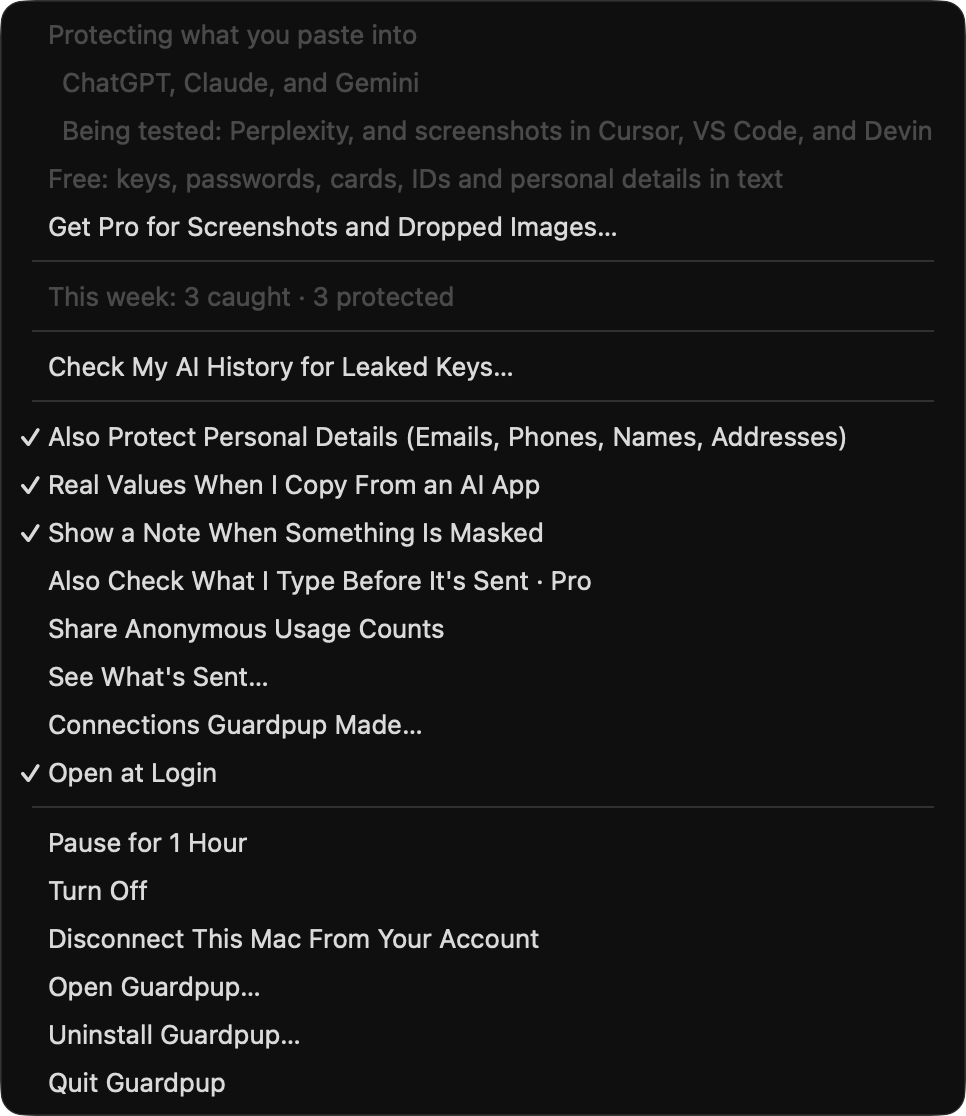
| In the menu | What it does |
|---|---|
| Pro Week: … Days Left, Keep Pro… | During your first week: the days of Pro left, and your account page to keep Pro after it. |
| Get Pro for Screenshots and Dropped Images… | Without Pro: opens your account page to sign in or get Pro. |
| This week: … caught · … protected | What Guardpup caught in the last 7 days, counted on this Mac. Shown once something is caught. |
| Check My AI History for Leaked Keys… | Finds keys you already sent, from an export of your chats. It runs on this Mac. |
| Also Protect Personal Details | Emails, phone numbers, names and addresses. |
| Real Values When I Copy From an AI App | Copying an answer gives you your real values in place of the stand-ins. |
| Show a Note When Something Is Masked | A short note after each masked paste. |
| Also Check What I Type Before It's Sent Pro | Checks typed messages too, not only pastes. |
| Privacy → Share Anonymous Usage Counts | Off unless you turn it on. See What's Sent…, in the same submenu, shows exactly what would go. |
| Privacy → Connections Guardpup Made… | Every time Guardpup connected to guardpup.io, and why. |
| Pause for 1 Hour, Turn Off | Pausing turns itself back on. |
| Disconnect This Mac From Your Account | Shown while this Mac is signed in. Signs it out; the free checks keep working. |
| Open Guardpup… | The Guardpup window, below. |
| Uninstall Guardpup… | Removes Guardpup completely: Uninstall. |
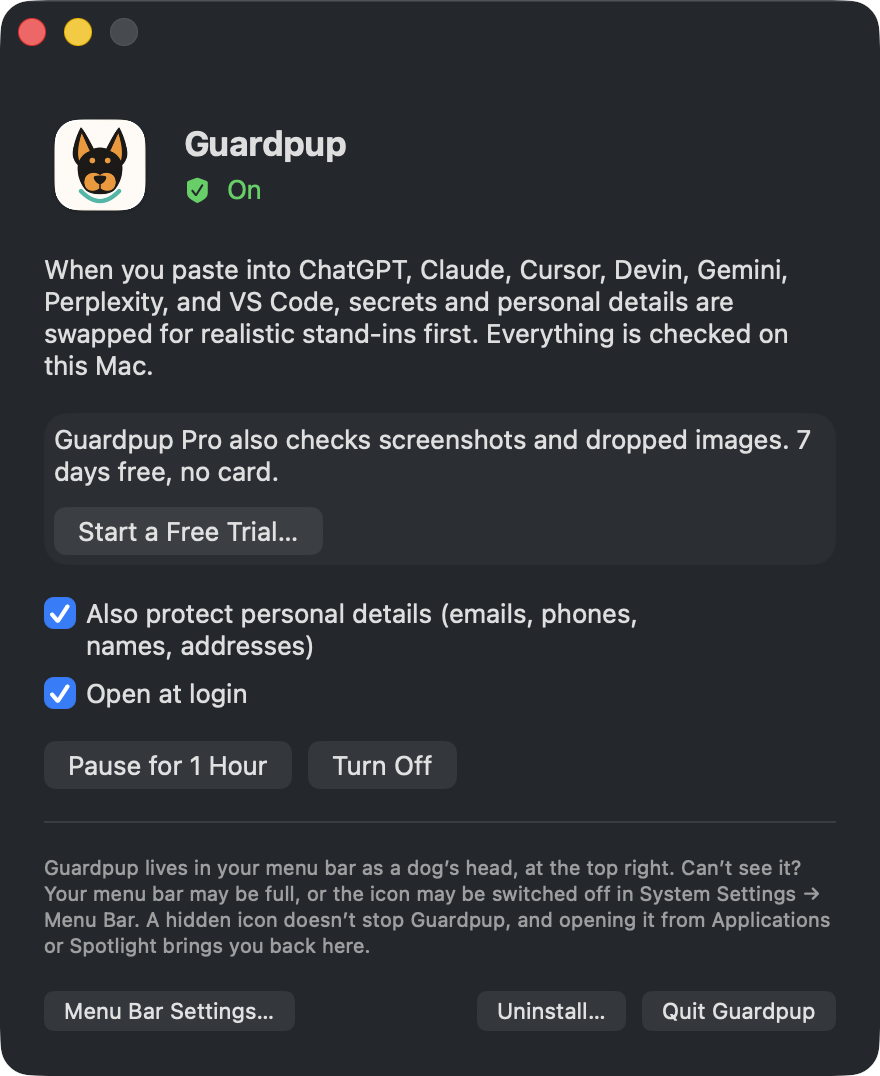
The Guardpup Window
Choose Open Guardpup…, or open Guardpup again from Applications or Spotlight. That's also the way back if the menu bar icon is hidden.
Pro on the Mac
Pro also checks screenshots you paste and images you drop into those apps, and what you type before it's sent. Your first week after installing includes Pro, with no account; the menu shows the days left. To keep Pro after it, choose Keep Pro… in its menu and sign in: Account and Plans.
Updates
Guardpup tells you when a new version is out: a note, and an item at the top of its menu. Choose Quit and Update: Guardpup downloads the new version, checks it's signed by Guardpup, replaces itself and opens again. Your settings, sign-in and permissions stay.
Updating by hand from the download page? Quit Guardpup first (its menu → Quit Guardpup): macOS can't replace an app while it's running, and says the item is in use.
What It Doesn't See
Files you add with an app's own attach button. Files you drop that it can't read, such as scanned PDFs and archives, go in with a note saying they weren't checked. For your coding agent in Cursor or VS Code, use the developer tool.